Key Takeaways:
- Smart call routing rules in JustCall decide who answers each inbound call, in what order, and what happens when nobody picks up.
- Routing works best when it follows a clear priority: identify the caller, match them to the right team, then define a fallback for every path.
- JustCall supports multiple routing methods simultaneous, sequential, round robin, and skills or team based and each one fits a different team structure.
- Business hours, holiday schedules, and after-hours handling belong in your routing plan from day one, not as an afterthought.
- Most routing failures come from missing fallbacks, over-complicated menus, and rules that were never updated after the team grew.
- Test every routing path with real devices before going live, then review call reports monthly to catch drop-off points.
Every missed call is a decision your phone system made on your behalf. It decided which rep to ring, how long to ring them, and what to do when nobody answered. If those decisions were never designed deliberately, the system is making them badly.
Building smart call routing rules in JustCall gives you control over that logic. Instead of every inbound call hitting the same group and rolling to voicemail, you can route by team, availability, caller history, time of day, or language. This guide walks through how JustCall routing works, which rule types fit which situations, how to configure them step by step, and the mistakes that quietly cost teams conversations.
What Is Call Routing in JustCall?
Call routing in JustCall is the set of rules that determines how an inbound call travels from the moment it reaches your number to the moment someone answers it or the call ends. Those rules control the destination, the ring order, the ring duration, and the fallback behavior.

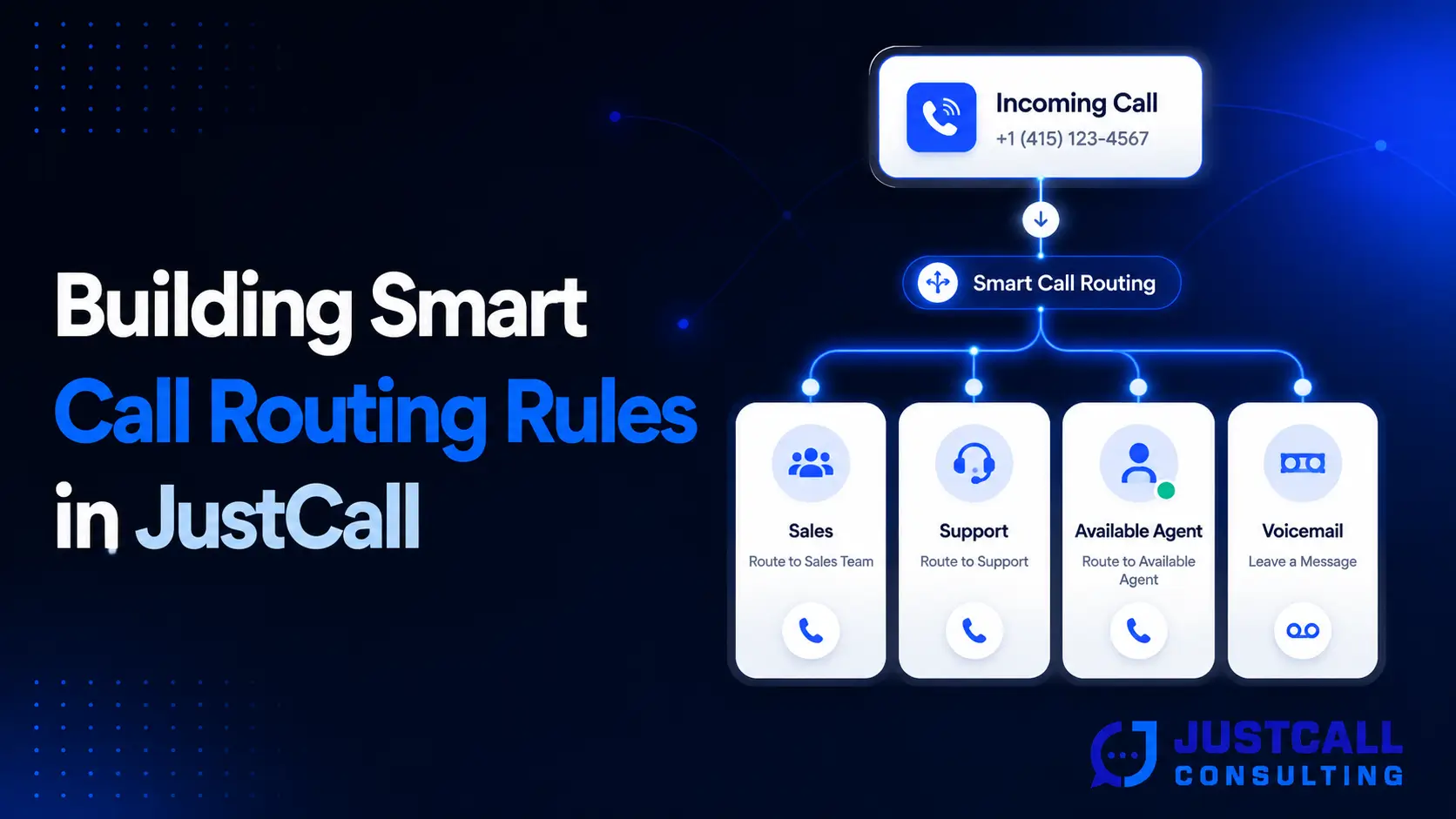
A routing rule is essentially a chain of instructions. A call arrives on a tracked number, JustCall checks the schedule, checks the assigned team or IVR menu, rings the agents in a defined pattern, and then executes a fallback if nobody answers. Every step in that chain is configurable.
The difference between basic and smart routing is intent. Basic routing rings whoever is available. Smart routing considers who the caller is, why they are likely calling, which agent is best suited to help, and what should happen if that agent is unavailable.
Routing vs. IVR: What’s the Difference?
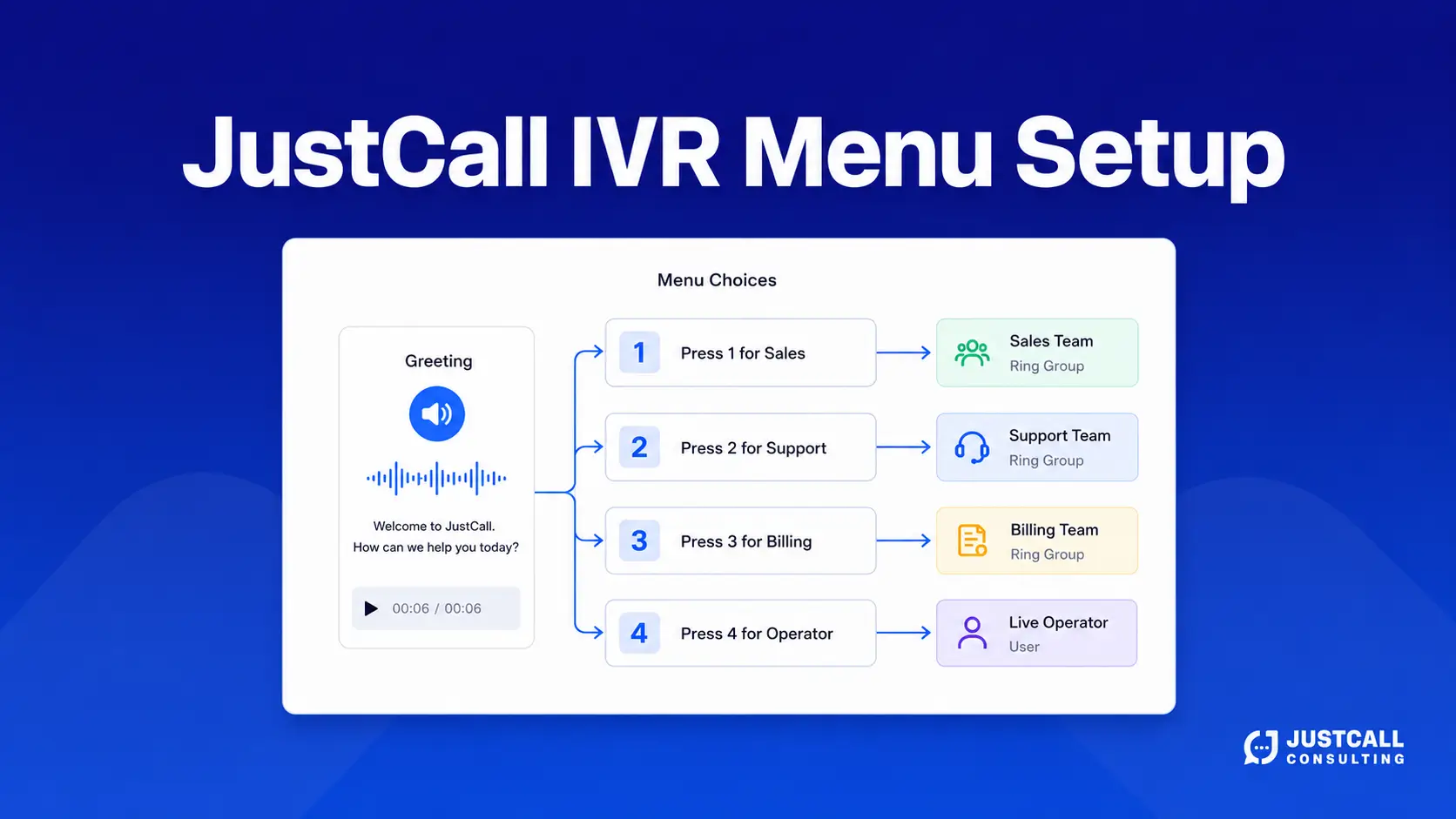
An IVR is the menu the caller interacts with. Routing is what happens after the selection. The two work together, but they solve different problems. If you have not built your menu structure yet, start with the JustCall IVR menu setup guide, then layer routing rules underneath each menu option.
Why Smart Call Routing Rules Matter for Sales and Support Teams
Smart routing matters because response speed and relevance drive outcomes. A caller routed to the right person on the first attempt gets resolved faster and rates the experience higher. A caller bounced between departments usually hangs up.
For sales teams, routing determines lead ownership. If inbound leads ring the whole floor and the fastest clicker wins, territory rules and account ownership break down. Round robin or owner-based routing keeps assignment fair and keeps CRM records accurate.
For support teams, routing determines resolution quality. Sending a billing question to a technical agent adds a transfer, a hold, and a repeat explanation. Skills-based routing removes all three.
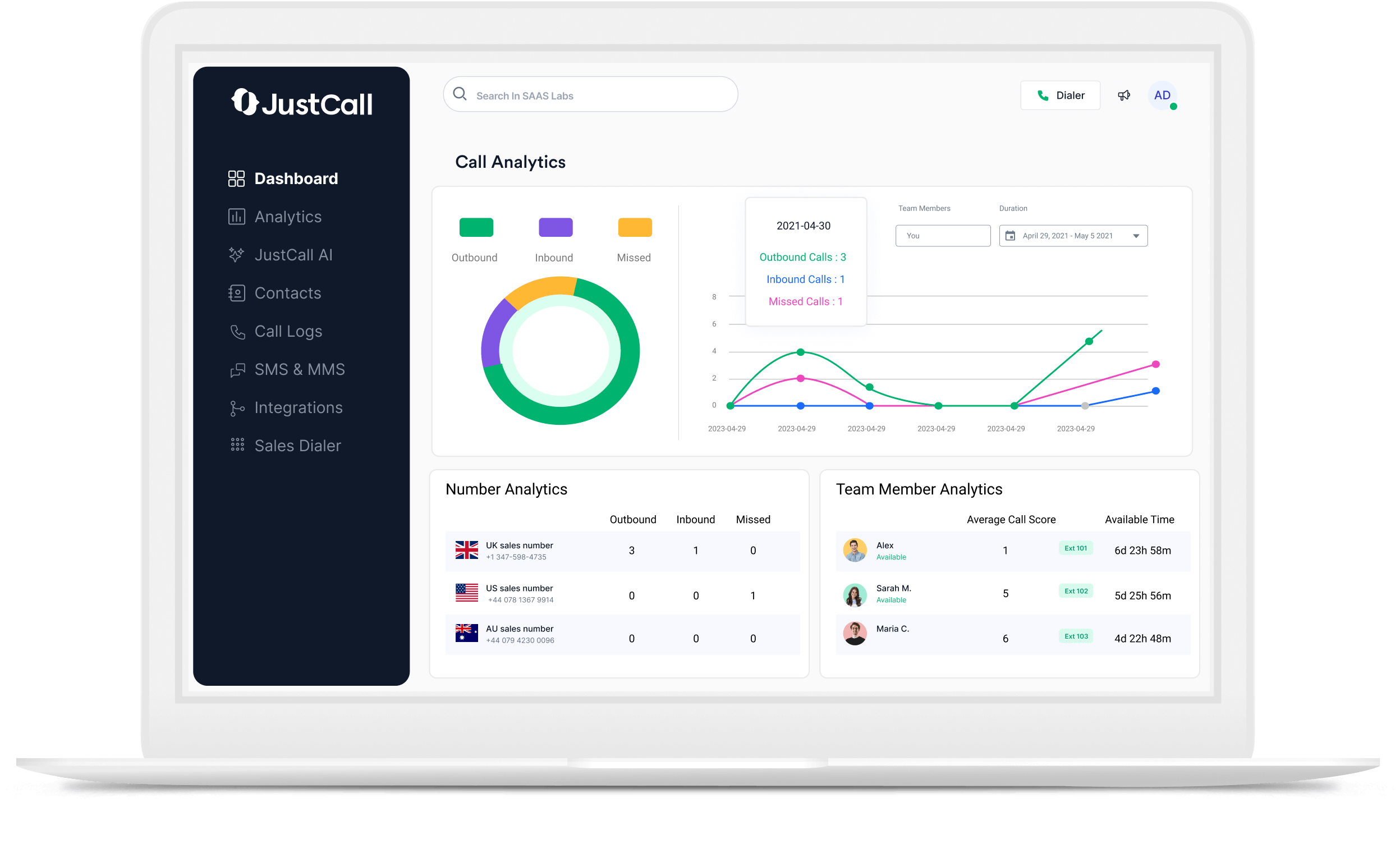
There is also a data benefit. Clean routing produces clean reporting. When calls flow through defined paths, you can measure answer rate by team, abandonment by menu option, and after-hours volume by number. Those metrics are unusable when everything lands in one shared queue.
How Does JustCall Call Routing Work?
JustCall call routing works by evaluating each inbound call against a sequence of conditions attached to the phone number. The system checks the schedule first, then the assigned destination, then the ring strategy, then the fallback.
The typical evaluation order looks like this:
- Number level — which JustCall number the caller dialed
- Schedule — whether the call arrives during business hours, after hours, or on a holiday
- Menu — which IVR option the caller selected, if a menu exists
- Destination — the team, individual agent, external number, or queue that receives the call
- Ring strategy — simultaneous, sequential, or round robin distribution
- Ring duration — how long each agent or group rings before the system moves on
- Fallback — voicemail, another team, an external number, or a callback request
Understanding this order matters because a rule higher in the chain overrides everything below it. A misconfigured holiday schedule will send calls to voicemail no matter how well the rest of your routing is built.
Types of Call Routing Rules You Can Build in JustCall
Different team structures need different distribution logic. Choosing the wrong strategy creates either burnout or missed calls.
Simultaneous Ringing
Every available agent in the group rings at once, and the first to answer takes the call. This works well for small teams and urgent inbound lines where speed matters more than fairness. The downside is noise: on larger teams, everyone gets interrupted for every call.
Sequential (Fixed Order) Ringing
The system rings agents one after another in a set order. Use this when seniority or specialization matters for example, ringing an account owner first, then a backup, then the general queue. The trade-off is longer wait times if the earlier agents are frequently unavailable.
Round Robin Distribution
Calls cycle evenly across available agents. This is the default choice for inbound sales teams because it distributes lead volume fairly and keeps activity metrics comparable across reps.
Team and Skills-Based Routing
Calls route to a defined group based on the menu option selected or the number dialed. Assign agents to teams by product line, language, region, or expertise. This is the highest-value routing type for support organizations with distinct issue categories.
Time-Based and Holiday Routing
Schedules determine which rules apply. Build separate paths for business hours, after hours, lunch coverage, and holidays. For distributed teams, time-based routing also lets you follow the sun across regions instead of forcing one office to cover every hour.
How to Build Smart Call Routing Rules Step by Step
Follow a structured sequence. Configuring settings before mapping the logic is what produces tangled routing trees.
- Map your call types first. List the reasons people call. Sales inquiries, existing customer support, billing, partnerships, and job applicants each need a destination.
- Define the teams that handle each type. Assign real names, not placeholders. Every path needs an owner.
- Set business hours and holiday schedules. Configure these per number if your teams operate in different regions.
- Build the menu structure. Keep top-level options to four or fewer. Deep menus increase abandonment.
- Choose a ring strategy per team. Round robin for sales, skills-based for support, simultaneous for small urgent lines.
- Set ring duration realistically. Roughly 20 to 25 seconds per agent group is a practical starting point. Shorter feels abrupt; longer causes callers to hang up.
- Define a fallback for every single path. No route should end without an instruction.
- Connect routing to your CRM. Call ownership and logging should follow the routing logic. The JustCall integrations guide covers how call data maps to CRM records, and the JustCall and HubSpot setup guide shows how ownership syncs in practice.
- Test every path from an outside line. Dial each menu option, let calls go unanswered, and confirm the fallback fires.
- Document the routing tree. A simple diagram saves hours when you onboard new team members or troubleshoot later.
Routing Rules for Common Business Scenarios
Abstract routing advice rarely translates. Here is how the rules apply to situations most teams face.
A small sales team with shared inbound volume. Use a single sales number, round robin distribution across available reps, 20-second ring duration, and a fallback to a shared voicemail that triggers an automated follow-up. Pair this with the workflow in how to automate missed call follow-ups with JustCall and Zapier so no voicemail sits unworked.
A support desk with distinct issue types. Build a three-option menu for technical, billing, and account changes. Route each to a skills-based team with simultaneous ringing inside the team. Fall back to a callback request rather than voicemail during high-volume periods.
An account-based sales model. Route known contacts to their assigned owner first, then to a pooled backup after one ring cycle. This preserves relationship continuity while still catching the call.
A distributed team across time zones. Create region-specific numbers and schedules, then chain them so calls outside one region’s hours forward to the next active region before hitting voicemail.
A team focused on coaching and quality. Route high-value inbound calls to senior reps and use recordings and scoring to review them. The JustCall AI features overview explains how transcripts and call scoring support that review process, and training remote SDRs with JustCall covers how to turn those recordings into repeatable coaching.
Common Call Routing Mistakes and How to Avoid Them
Most routing problems trace back to a short list of avoidable errors.
- No fallback on a path. Every branch needs a defined ending. Silent dead ends are the single most common cause of lost inbound calls.
- Menus that are too deep. Three levels of options frustrate callers. Flatten the tree and let agents transfer when needed.
- Ring durations that are too long. A caller waiting 60 seconds through three agent groups usually hangs up before the fourth.
- Routing that was never updated. Teams change. Reps leave. A routing tree built a year ago may still ring former employees.
- Ignoring agent availability status. If reps do not set themselves unavailable when busy, round robin sends calls into empty seats.
- Untracked outcomes. Routing tells you where calls went; dispositions tell you what happened. Use both. The guide to organizing sales calls with tags and dispositions explains how to structure those outcomes for reporting.
- Testing only the happy path. Test what happens when nobody answers, when it is 2 a.m., and when the caller presses nothing.
A broader framework for eliminating drop-off points is covered in how to design a JustCall call flow that never drops a lead.
Design Your Routing Logic With a JustCall Consulting Team
Routing decisions look simple in the admin panel and complicated in production. Teams with multiple numbers, several departments, regional schedules, and CRM ownership rules usually need a routing map before they touch a single setting.
Our JustCall consulting services cover exactly that work: auditing your current call paths, mapping call types to teams, designing the routing tree, configuring schedules and fallbacks, and connecting the setup to your CRM so ownership and reporting stay accurate. If you are weighing whether outside help is worth it, when to hire a JustCall consultant breaks down the situations where it pays off.
Talk to Our Team About Your Call Routing Setup
If you already know your current routing is leaking calls but you are not sure where, a short conversation is usually enough to identify the gaps. Bring your number list, your team structure, and your business hours, and we can walk through the paths that need attention.
Contact the JustCall Consulting team to review your setup and discuss a routing plan built around how your team actually works.
Final Thoughts
Building smart call routing rules in JustCall is less about the software settings and more about the thinking behind them. Map your call types, assign clear ownership, respect your schedules, and give every path a fallback. Those four principles solve most routing problems before they start.
Start simple. A clean three-option menu with reliable fallbacks outperforms an elaborate tree that nobody maintains. Then review your call reports each month, look for the paths where callers drop off, and adjust. Routing is not a one-time configuration, it is a system that should evolve as your team, your hours, and your call volume change.