Key Takeaways:
- JustCall integrations connect your calling and messaging activity to the systems where your team already works, so call logs, contact records, and outcomes live in one place instead of three.
- Connectivity comes in three forms (native integrations, automation platforms like Zapier and Make, and direct API or webhook builds), and choosing the right one saves months of rework.
- CRM connections deliver the largest return, because click-to-call, automatic logging, and disposition mapping turn conversations into reportable pipeline data.
- Map your fields, dispositions, and record ownership rules before you switch an integration on. Most integration failures are planning failures, not technical ones.
- Automation platforms handle follow-up triggers and cross-tool workflows well, while the API becomes worthwhile once you need custom logic or volume that Zapier tasks cannot support economically.
- Test inbound calls, outbound calls, and SMS against real records with a small user group before rolling the integration out to your whole team.
Most teams buy a cloud phone system to make more calls. What they actually need is a record of those calls sitting where decisions get made. When your dialer lives in one tab and your CRM lives in another, reps log activity by hand, managers forecast from incomplete data, and warm leads go cold because nobody saw the missed call.
JustCall integrations exist to close that gap. This guide explains what those integrations do, the three different ways JustCall connects to other software, which CRM and helpdesk connections matter most, how to configure them without creating duplicate data, and the mistakes that quietly break reporting months after go-live.
If you are still evaluating the platform itself, start with our overview of what JustCall is and how sales and support teams use it, then come back here for the connectivity layer.

What Are JustCall Integrations and Why Do They Matter?
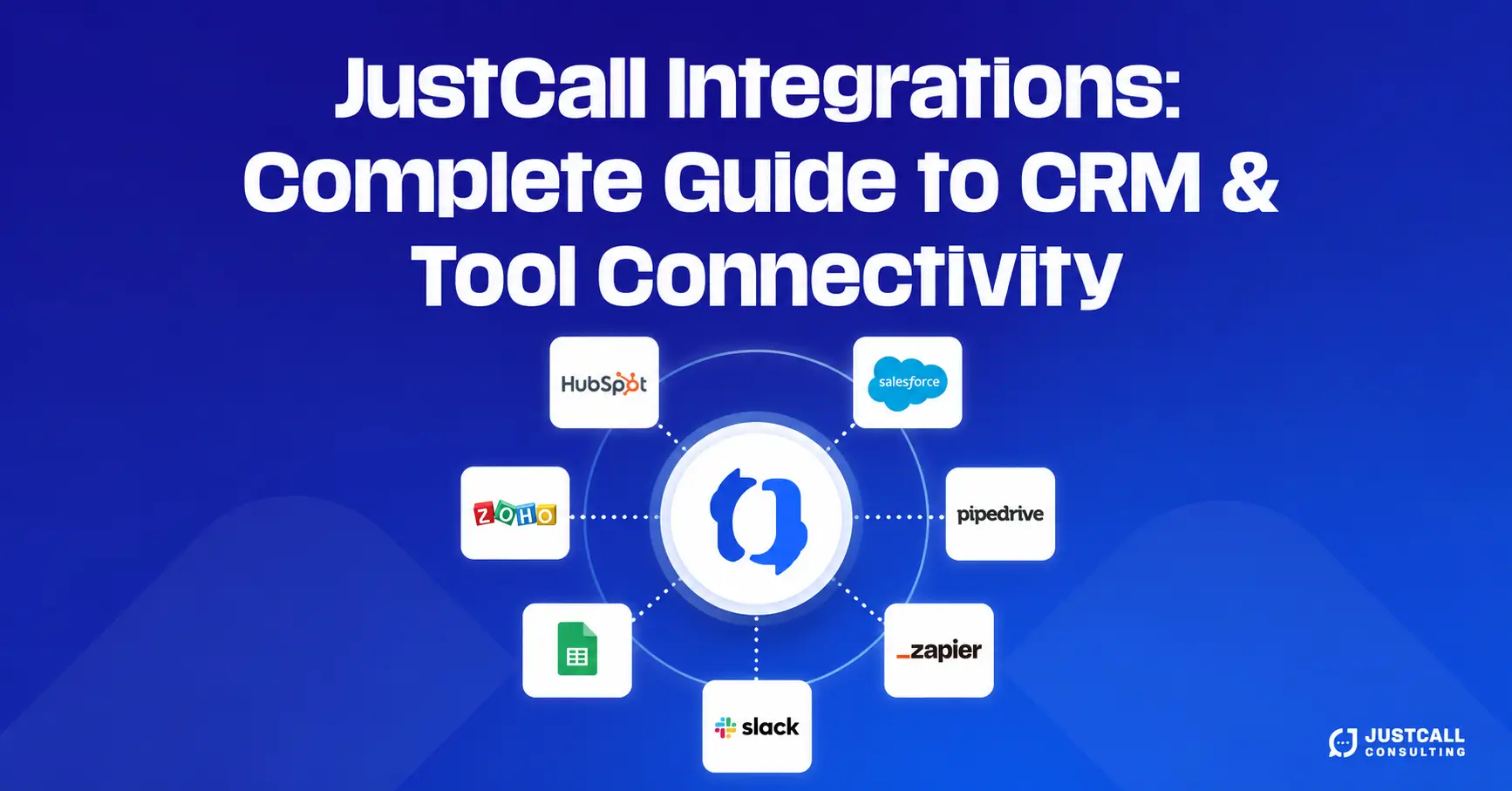
JustCall integrations are connections between JustCall and the other tools in your stack, including CRMs, helpdesks, team chat apps, calendars, and automation platforms, that let call, SMS, and contact data move automatically between systems.
In practice, a working integration does four things. It lets an agent dial from a contact record without copying a number. It writes the call or text back to that record, including duration, direction, outcome, and a recording link. It keeps contact details consistent in both systems. And it makes call activity available to the reports your leadership already reads.
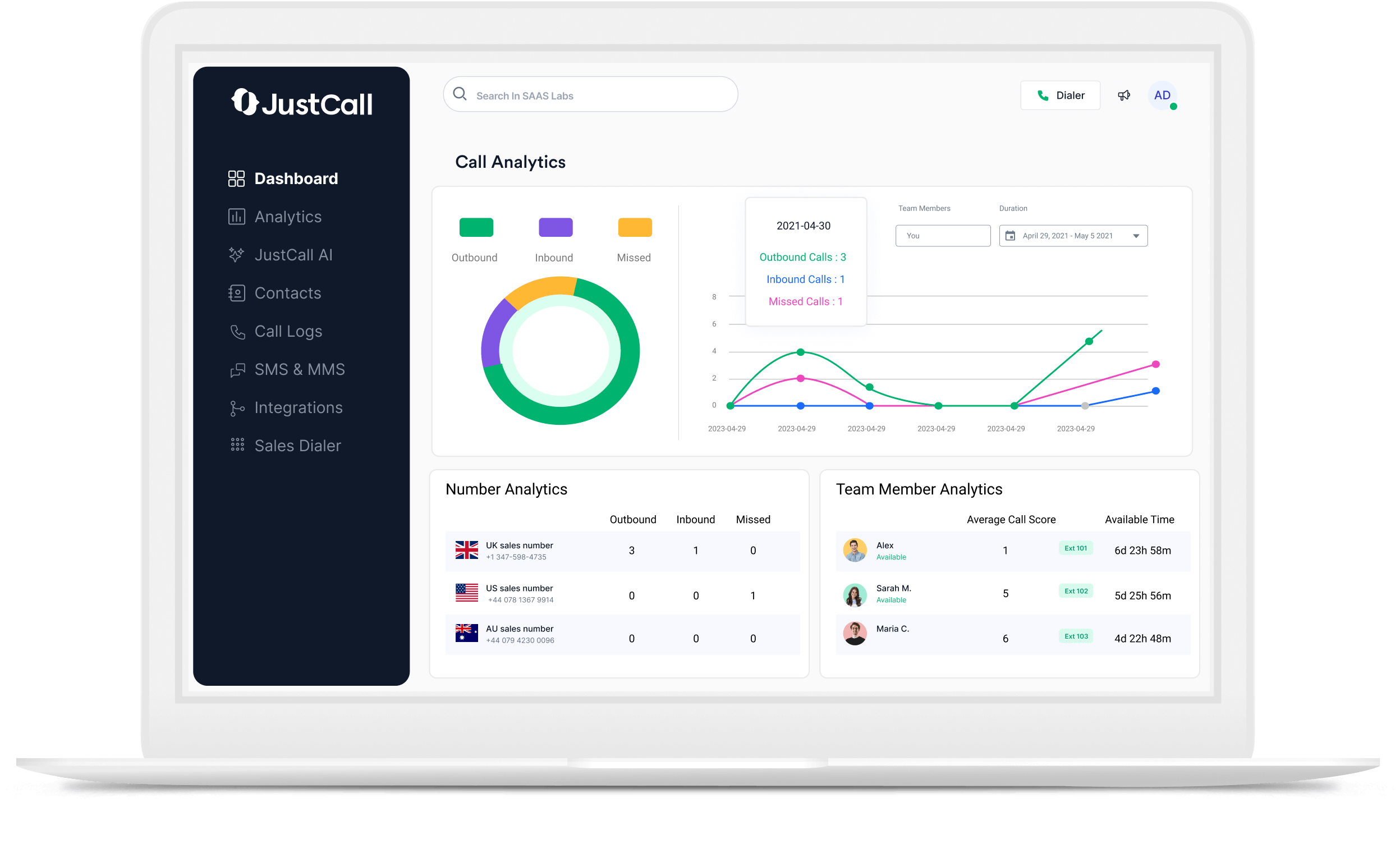
The reason this matters is measurement. A sales manager who cannot see call volume, connect rates, and outcomes alongside deal stages is coaching on instinct. A support lead who cannot see how many times a customer called before a ticket escalated has no early-warning signal. Integration converts conversations from anecdotes into data.
There is a productivity return as well. Manual call logging costs each rep a few minutes per conversation. Across a team making dozens of calls a day, that time is meaningful, and manual logs are always incomplete, because reps skip the calls that did not go well.
The Difference Between a Connection and a Real Workflow
Switching an integration on and designing a workflow are not the same task. The toggle establishes a data pipe. The workflow decides what travels through it, who owns the resulting record, what happens when the two systems disagree, and what the team is expected to do when new data arrives.
Teams that skip the second step end up with technically connected tools and practically useless reports. The integration works exactly as configured. It was simply never configured with a question in mind.
The Three Types of JustCall Connectivity: Native, Automation, and API
JustCall connects to other software in three distinct ways, and the right choice depends on how custom your requirements are and who will maintain the setup.
Native integrations are prebuilt connections maintained by JustCall for major platforms. They install through the integrations area of your account, authenticate with OAuth, and handle the standard jobs such as click-to-call, activity logging, and contact sync without any development work. Choose native whenever it covers your requirement, because someone else absorbs the maintenance when either vendor updates an API.
Automation platform bridges use Zapier, Make, or a similar tool to relay events between JustCall and apps that have no native connection, or to add conditional logic on top of one. They are fast to build, easy to change, and require no code. The trade-offs are per-task pricing at volume, a small delay between trigger and action, and one more vendor in the failure path.
Direct API and webhook builds give you full control. JustCall exposes a REST API for programmatic actions and webhooks that push events to your endpoint as they happen. This is the right path for custom internal applications, multi-step logic that automation platforms handle awkwardly, high event volume, or data-residency requirements. It also needs a developer and ongoing ownership.
A practical rule: use native for the core CRM connection, automation for the workflows around it, and the API only when the first two genuinely cannot do the job. Because JustCall’s supported integration list changes as the platform expands, confirm current coverage in JustCall’s official integrations directory and API documentation rather than relying on a static list.
JustCall CRM Integrations: HubSpot, Salesforce, Pipedrive, and Zoho
A JustCall CRM integration syncs calls, texts, and contacts with your customer database so every conversation appears on the correct record automatically.
Across the major CRMs, a well-configured connection typically handles the same core set of jobs:
- Click-to-call and click-to-text directly from a contact, lead, or deal record
- Automatic activity logging with direction, duration, timestamp, and agent
- Recording and transcript links attached to the activity timeline
- Contact synchronisation so new numbers created in either system appear in the other
- Disposition and tag mapping so call outcomes become filterable CRM fields
- Inbound screen pop surfacing the matching record before the agent answers
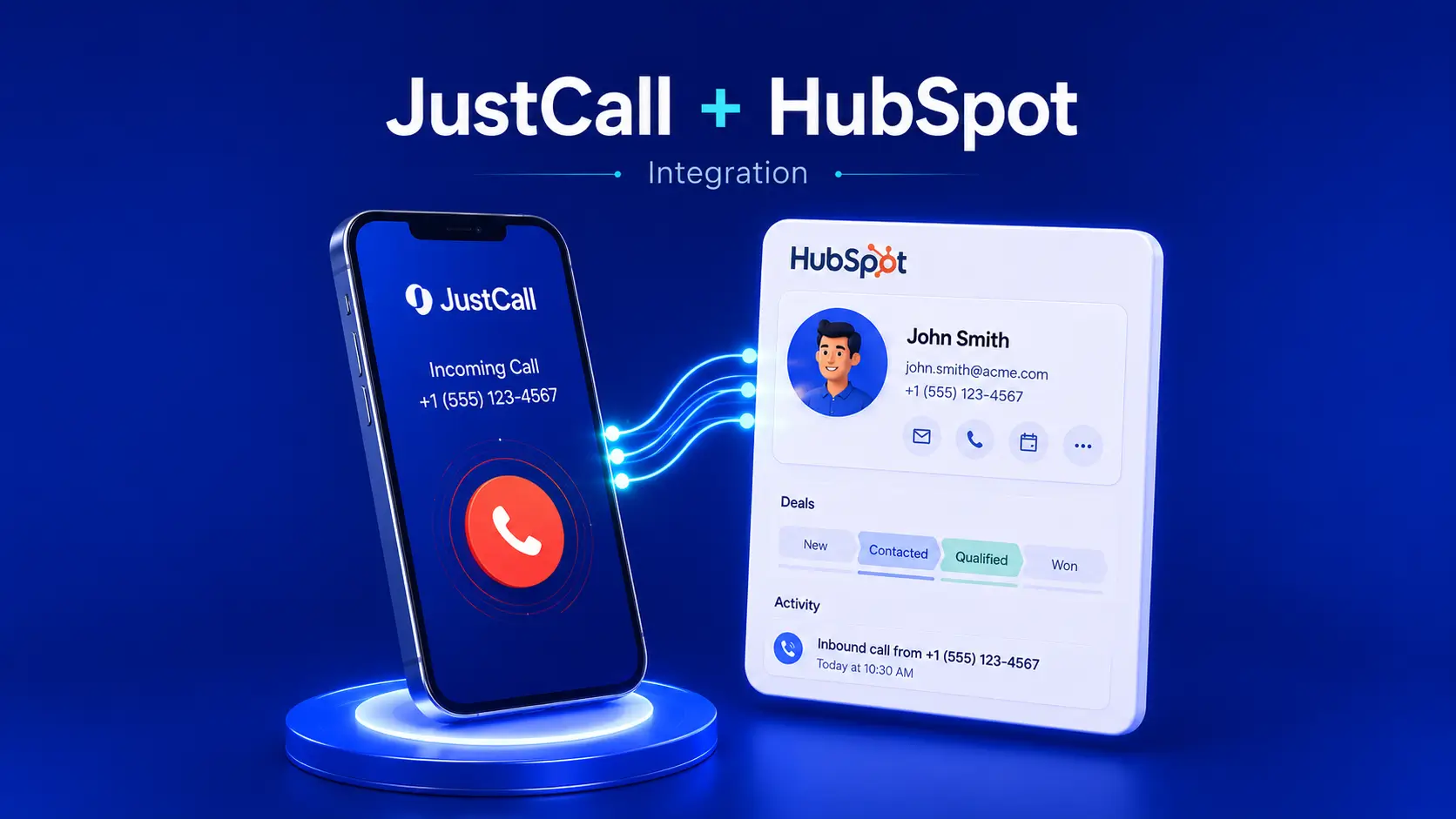
Platform specifics do matter. HubSpot integrations tend to be the quickest to stand up and the easiest to report on through native dashboards, and our JustCall + HubSpot integration setup guide walks through the full configuration. Salesforce offers the deepest customisation but demands decisions about object mapping, page layouts, and permissions before you connect anything. Pipedrive and Zoho CRM sit between the two: straightforward to link, but they reward deliberate field mapping because their default activity structures are simpler.
What Two-Way Sync Should Actually Do
Two-way sync sounds like a feature. Treat it as a set of decisions.
Decide which system owns each field. If a rep updates a phone number in the CRM and a different value exists in JustCall, one of them has to win, and you should choose which rather than discovering it later. Decide your matching logic, usually phone number in E.164 format, because inconsistent formatting is the most common cause of duplicate contacts. Decide record ownership for inbound calls from unknown numbers: does the answering agent become the owner, or does the lead route through your normal assignment rules?
Then decide what your dispositions mean. A disposition list that maps cleanly to CRM fields becomes a reporting asset. A freeform list becomes noise. Our guide to call tagging and dispositions covers how to structure them so the data stays useful at scale.
Helpdesk, Team Chat, and Productivity Tool Integrations
CRM is where revenue teams start, but the same connectivity logic applies across the rest of the stack.
Helpdesk platforms such as Zendesk, Freshdesk, and Intercom benefit from call context on the ticket. When an agent can see that a customer called twice before submitting a ticket, response priority changes. Logging calls against tickets also makes first-contact resolution measurable across voice and text rather than text alone.
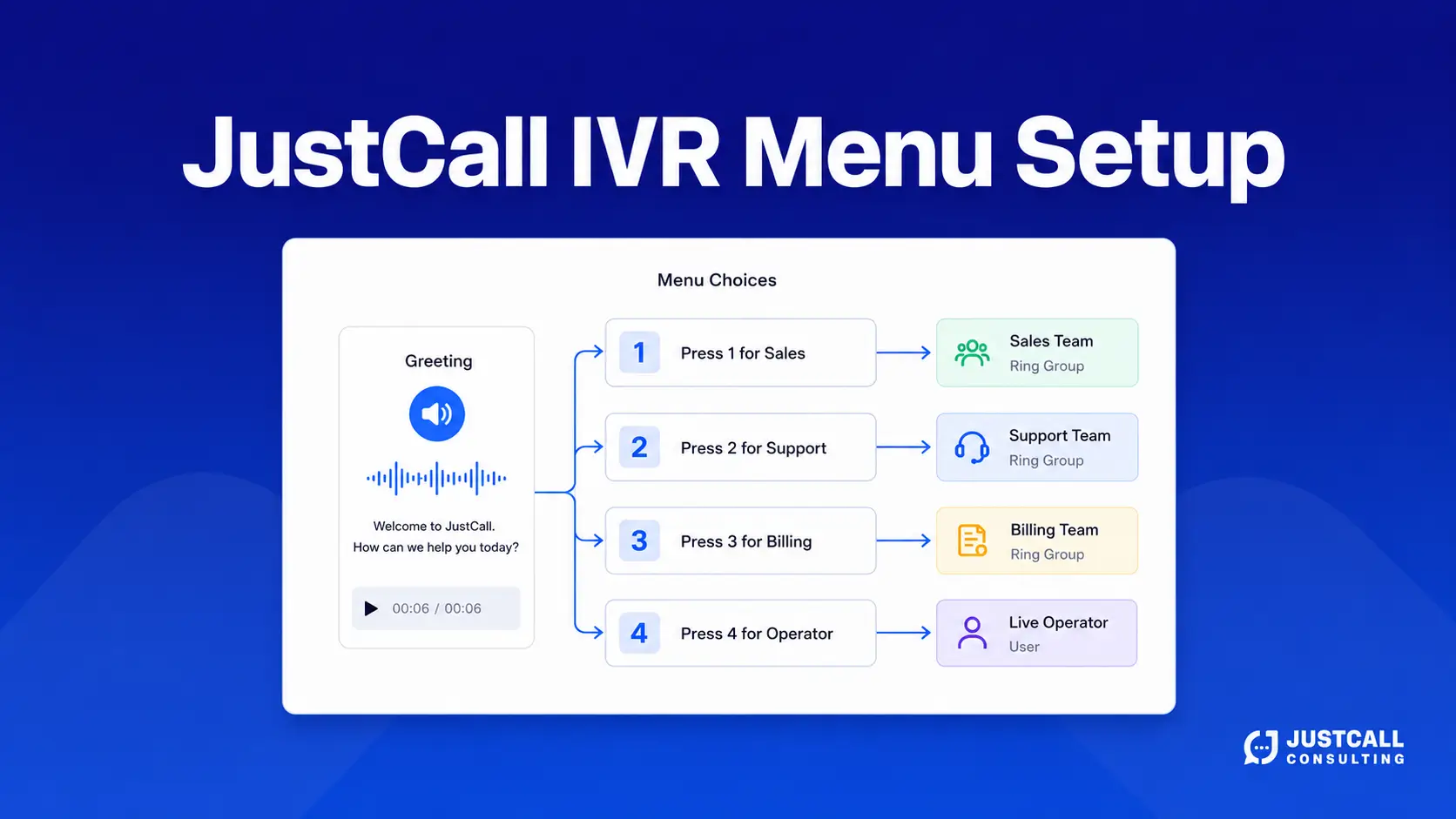
Team chat integrations with Slack and Microsoft Teams handle alerting. Missed calls, new voicemails, and inbound texts land in a shared channel where someone claims them, which is far more reliable than hoping an individual checks a dashboard. This pairs naturally with routing design. If calls are reaching the wrong queue in the first place, fix that before adding alerts. Our walkthrough of JustCall IVR menu setup covers the routing layer that sits underneath.
Productivity and calendar tools such as Google Workspace and Outlook supply contact and availability context. Agents see who is calling and whether a meeting already exists, and booked calls appear on the right calendar without manual entry.
Choose deliberately here. Every additional integration adds a surface that can break. Connect the tools your team opens daily and leave the rest alone.
Automating JustCall Workflows with Zapier and Webhooks
Automation is where integration stops being record-keeping and starts changing outcomes. A native CRM connection tells you a call happened. An automated workflow makes something happen next.
The patterns that deliver most consistently:
- Missed-call recovery. A missed inbound call triggers an immediate SMS acknowledgement and a task for the owning rep. This is the single highest-value automation for most inbound teams, and we cover it end to end in our guide to automating missed-call follow-ups with JustCall and Zapier.
- New-lead routing. A form submission creates the contact, assigns an owner, and queues a first-touch call within minutes.
- Post-call task creation. A specific disposition generates a follow-up task with a due date rather than relying on memory.
- Sequenced messaging. Call outcomes trigger text follow-ups, which is where SMS workflow automation in JustCall does the heavy lifting.
- Reporting exports. Call data flows to a warehouse or spreadsheet for analysis your CRM dashboards cannot handle.
- Conversation intelligence hand-offs. Transcripts and scores route to coaching workflows, building on JustCall AI transcriptions, summaries, and call scoring.
Webhooks are the mechanism underneath most of this. JustCall can push an event such as call completed, SMS received, or voicemail left to a URL you control the moment it occurs. Automation platforms consume those events for you. Once your task volume gets expensive, your logic outgrows a linear zap, or you need guaranteed retry behaviour, moving that same logic to your own endpoint usually costs less than maintaining a workaround.
How to Set Up a JustCall Integration the Right Way
Follow this sequence. The order matters more than the individual steps, because every decision constrains the ones after it.
- Audit the stack. List every tool that touches customer contact data and name an owner for each. Identify overlaps before you connect anything.
- Name the single source of truth. For most sales teams this is the CRM. Every later conflict resolves against this answer.
- Design call flows and dispositions first. Integration inherits whatever structure exists upstream. If routing and outcome tracking are messy, the connected data will be too, and our guide to designing a JustCall call flow that never drops a lead covers this groundwork.
- Map fields explicitly. Document which JustCall field writes to which CRM field, in a spreadsheet, before authenticating. Include number formatting rules.
- Connect with a limited group. Enable the integration for two or three agents, or a sandbox environment where available. Never enable a new CRM sync for an entire team on day one.
- Test against real records. Verify inbound, outbound, transferred, and missed calls, plus inbound and outbound SMS.
- Check permissions and retention. Confirm who can access recordings and transcripts, and that retention settings match your policy and jurisdiction.
- Document and train, then expand. Write down what the integration does and what agents are expected to do differently. Roll out in stages.
A Pre-Launch Testing Checklist
- Outbound call from a CRM record logs to that record with correct duration and direction
- Inbound call from a known number matches the right contact, not a duplicate
- Inbound call from an unknown number creates one clean record with the correct owner
- Missed calls and voicemails log and trigger the intended alert
- SMS in both directions appears on the timeline
- Dispositions and tags populate the mapped CRM fields
- Recording and transcript links open for users who should have access, and fail for those who should not
- Transferred and forwarded calls attribute to the correct agent
Common JustCall Integration Mistakes and How to Avoid Them
Duplicate contact creation. Almost always a phone-formatting problem. Standardise on E.164 across both systems and define matching rules before go-live rather than cleaning up afterwards.
Unmapped or freeform dispositions. If agents type outcomes instead of selecting them, no report will ever aggregate correctly. Lock the list to a small, meaningful set and map each value to a CRM field.
Integrating before designing. Connecting a CRM to a call flow that misroutes calls simply records the misrouting more thoroughly.
No owner assigned. Integrations break when either vendor ships an update. Someone needs to hold responsibility for noticing. Name that person.
Ignoring permissions and retention. Call recordings and transcripts are sensitive. Review who inherits access through the integration, and align retention with your legal and compliance requirements. Take advice specific to your jurisdiction rather than assuming defaults are appropriate.
Skipping adoption. Reps who do not trust automatic logging keep logging manually, which creates the duplicate activity the integration was meant to eliminate. Show them the record updating in real time and the habit changes.
Over-integrating. Connecting every available tool creates maintenance without value. Add integrations when a specific workflow requires them.
Turn Your Connected Stack Into Measurable Revenue Gains
Clean integration data is the foundation for everything downstream. Once calls, texts, and outcomes sit reliably on the right records, you can finally answer the questions that move revenue: which sources convert, which reps need coaching on which call stage, where leads stall, and how quickly inbound interest gets a response. That analysis becomes practical the moment your data is trustworthy, and it depends on JustCall call analytics tied to agent productivity rather than on gut feel.
If you want your integrations designed around revenue outcomes rather than feature checkboxes, explore our JustCall consulting and revenue optimization services to see how a structured setup, mapping, and reporting engagement works.
Talk Through Your Integration Requirements With a JustCall Consultant
Every stack has one detail that complicates the standard playbook: a legacy CRM, a custom object, a compliance constraint, or an offshore team on a different schedule. Those details are worth a conversation before you start connecting systems.
Tell us which CRM you run, which tools need to talk to it, and what you want to be able to measure afterwards, and we will map the shortest sensible path. If you are weighing whether the work belongs in-house, our guidance on when to hire a JustCall consultant is a useful starting point. When you are ready to discuss specifics, get in touch with the JustCall Consulting team and we will review your requirements.
Bottom Line
JustCall integrations are less a technical exercise than a design decision. The platform will connect to your CRM, your helpdesk, and your automation tools without much friction. What determines whether that connection produces reliable pipeline data or a duplicate-riddled mess is the thinking you do beforehand: naming your source of truth, mapping fields and dispositions deliberately, choosing native connections where they suffice, and reserving API work for requirements that genuinely need it.
Start with the CRM, because it delivers the clearest return. Layer automation on top for missed-call recovery and follow-up. Test with a small group against real records before you expand. Then keep an owner assigned, so the integration stays healthy as both platforms evolve. Do that, and your calling data stops being something reps maintain and becomes something your business can actually use.