A missed call can be one of the most expensive leaks in your sales process. When a prospect calls your business, they are usually not casually browsing. They are ready to ask a question, book a consultation, compare pricing, schedule a demo, or solve a problem now. If that call rings too long, reaches the wrong person, or lands in voicemail without fast follow-up, the lead may never come back.
That is why your JustCall call flow needs to be designed with intention.
JustCall positions itself as a revenue communication platform that helps teams answer calls, follow up faster, and improve speed-to-lead. Its inbound call center tools include IVR, call routing, CRM data, analytics, and AI voice agent features for handling incoming calls more effectively.
A strong call flow does more than move calls from one phone number to one rep. It creates a complete lead protection system. It decides who receives the call first, what happens when that person is unavailable, how after-hours calls are handled, when missed-call texts are sent, and how activity is logged in your CRM.

For businesses using JustCall Consulting to improve their phone system, the goal is simple: build a call flow where every inbound lead has a clear path and every missed call has a recovery plan.
What is a JustCall Call Flow?
A JustCall call flow is the route an inbound caller follows from the moment they dial your business number until the call is answered, transferred, queued, forwarded, sent to voicemail, or followed up through automation.
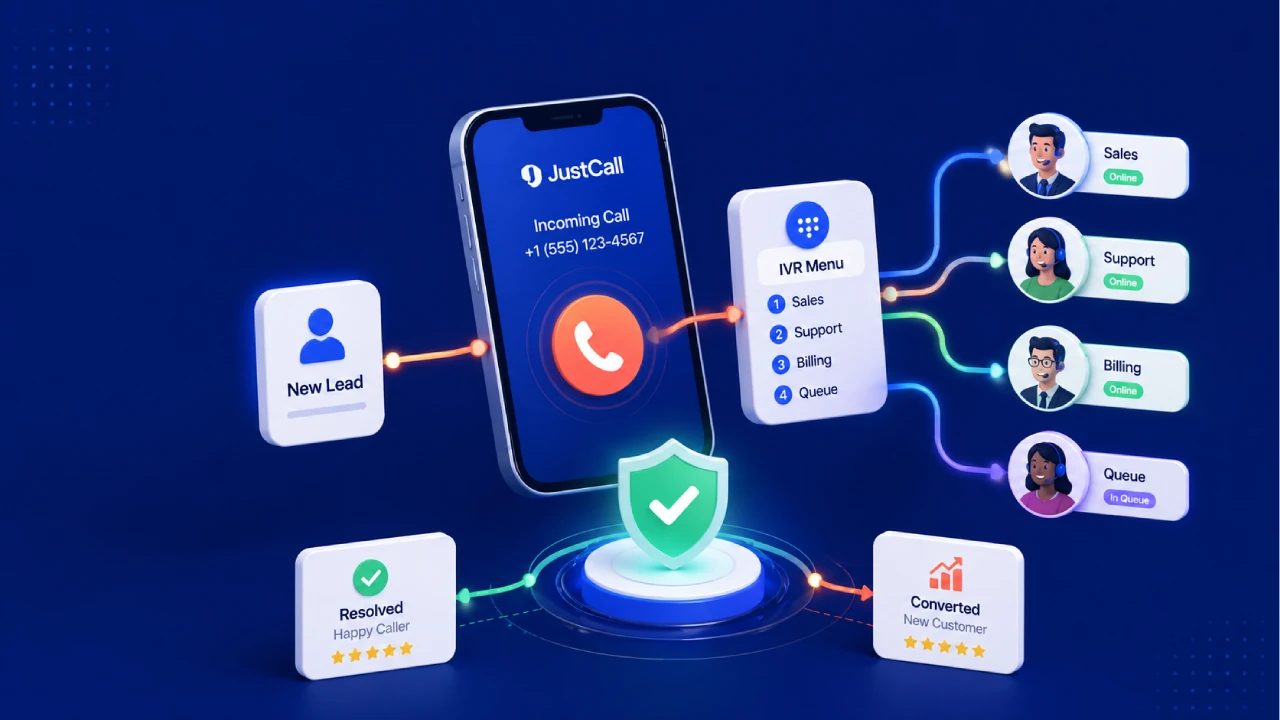
This flow may include a greeting, IVR menu, routing rules, team assignments, ring duration, queue behavior, voicemail, SMS follow-up, CRM logging, and reporting. JustCall’s routing settings allow businesses to control how incoming calls are handled for each phone number, including routing calls to team members, queues, and fallback options.
In a simple setup, a caller dials your main business number and the call rings your sales team. In a more advanced setup, the call may check business hours, identify the contact owner in your CRM, route the caller to the right department, trigger an SMS if the call is missed, and create a follow-up task for the assigned rep.
The best call flows are not necessarily the most complicated. They are the ones that match your buyer journey, reduce wait time, and make sure no lead disappears because of poor routing.
Start With the Lead Journey Before You Touch the Settings
Before building anything inside JustCall, map the journey your callers actually take. Many businesses make the mistake of designing call flows around internal departments instead of caller intent. That creates friction.
A new lead does not care how your company is structured. They care about reaching the right person quickly. A returning customer wants help without repeating their full story. A high-value prospect may need to reach a senior consultant. An after-hours caller wants to know whether someone will call them back.
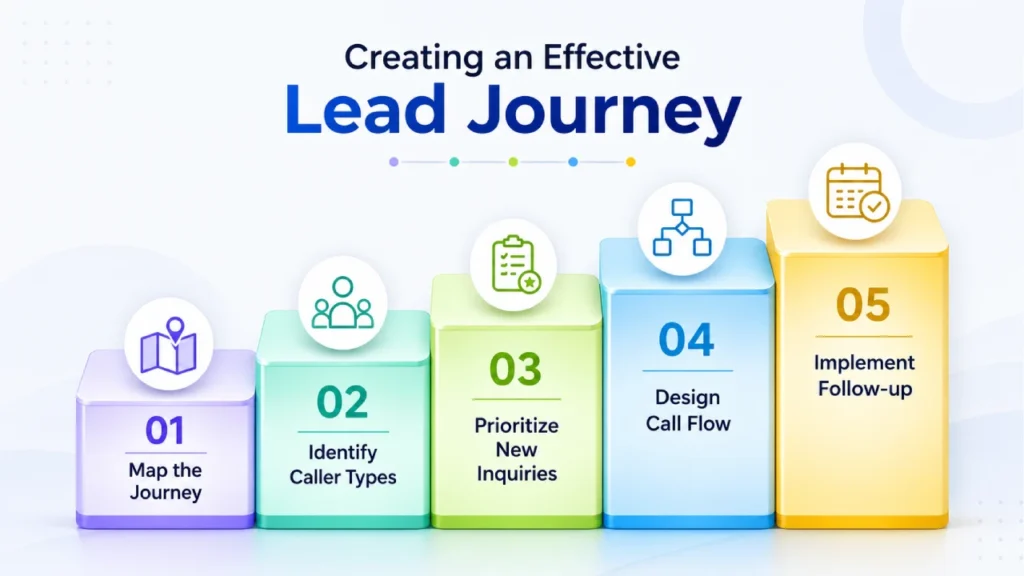
Start by asking what types of people call your business. You may receive calls from new sales leads, existing customers, referral partners, vendors, job applicants, or current opportunities already assigned to a team member. Each group may need a different path.
For a lead-focused business, your first priority should be new inquiries. If your website, ads, SEO campaigns, or referral network are driving phone calls, your call flow should make it easy for those callers to reach a live person. If they cannot reach someone live, the system should immediately create a follow-up action.
A good lead journey might look like this: the caller dials your sales number, hears a short greeting, reaches the sales team, moves to a backup rep if no one answers, reaches voicemail only as a final fallback, receives an automated text message, and gets logged in the CRM for follow-up.
That is how a call flow becomes a lead safety net instead of just a phone setting.
Keep Your IVR Menu Simple and Conversion-Focused
An IVR menu can improve the caller experience when it helps people reach the right destination faster. It becomes a problem when it creates too many steps. JustCall’s IVR Call Menu is designed to help businesses stay accessible, reduce wait times, and route calls to the right agent.
Use IVR as a shortcut, not a wall. For most businesses, three options are enough.
- Press 1 for Sales.
- Press 2 for Support.
- Press 3 for Billing or Existing Account Questions.
If your website is built to generate leads, put the sales option first. If your business depends on booked appointments, make scheduling easy to reach. If you serve multiple services, locations, or customer types, organize the menu around what callers want to do rather than how your internal team is arranged.
- Use plain language instead of internal labels.
- Keep the greeting short.
- Put the highest-value caller path first.
- Avoid more than one layer of menus unless necessary.
- Give callers a clear fallback if they do not choose an option.
- Make sure every IVR path has an owner.
- Review the menu regularly to remove unused options.
JustCall’s help documentation explains that IVR gathers caller input and routes calls to the appropriate recipient. That means the quality of your menu directly affects the quality of your routing. If the menu is confusing, calls will be misrouted. If the menu is simple, callers move faster and your team handles conversations with better context.
Route Calls to the Right Person, Not Just the Next Available Person
Speed matters, but relevance matters too. A fast answer from the wrong person can still hurt the caller experience. A strong JustCall call flow balances availability, skill, ownership, and urgency.
JustCall’s smart call routing combines IVR, skill-based routing, and time-based rules to route inbound calls to the right agent while reducing wait times and missed calls. That gives your business several ways to design a routing strategy.
For new sales leads, simultaneous ringing can work well because it gives the team the best chance to answer quickly. When several reps receive the call at once, the first available person can respond. This is useful for businesses where speed-to-lead is critical.
For account-based sales or customer success, sequential routing may be better. The call can go to the assigned owner first, then to a backup rep, then to a manager or shared queue. This protects the relationship while still preventing the call from getting stuck.
For specialized teams, skill-based routing is important. Enterprise leads can go to senior reps. Technical calls can go to support specialists. Spanish-speaking callers can go to bilingual agents. Urgent service requests can go to the team that handles time-sensitive issues.
JustCall also supports intelligent call routing that can direct inbound calls to the right recipient, often the contact owner in a CRM or helpdesk tool. This is especially valuable when a lead or customer already has history with your business. Instead of treating every caller like a stranger, your phone system can create a more personal experience.
Build Fallback Paths for Every Important Call
Every call route needs a backup. Without fallback paths, your call flow depends too heavily on perfect availability. That is risky because people step into meetings, take breaks, handle other calls, travel, or work in different time zones.
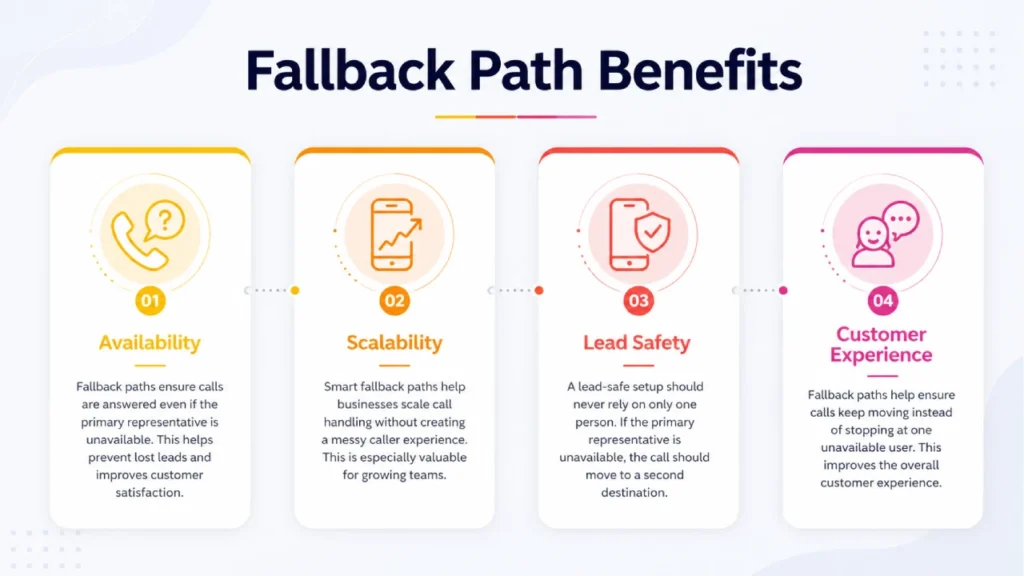
A lead-safe JustCall setup should never rely on only one person. If the primary rep is unavailable, the call should move to a second destination. If that person is unavailable, the call should move to a queue, team, external number, or voicemail with immediate follow-up.
JustCall’s number routing settings include options for team members, queues, and fallback handling, which can help make sure calls keep moving instead of stopping at one unavailable user.
For example, a consulting business may use this flow: new inquiry calls ring the sales consultant first, then a backup consultant, then the general sales queue, then voicemail. After voicemail, an SMS and CRM task are created automatically.
This type of structure matters because missed calls are not always caused by low effort. Sometimes the team is busy because the business is growing. A smart fallback path helps you scale call handling without creating a messy caller experience.
Use Business Hours, After-Hours Rules, and Missed-Call Recovery
A call flow should change based on when the call comes in. The right process at 11:00 a.m. may not be the right process at 8:30 p.m. JustCall Workflows can automate customer conversations across calls, SMS, email, and WhatsApp, while built-in routing workflows can direct incoming calls based on rules and conditions.
Your business hours setup should make the caller experience predictable.
- During open hours, prioritize live answers.
- During lunch breaks, route to backup coverage.
- During team meetings, use a temporary queue or overflow route.
- During after-hours, play a clear closed-hours greeting.
- During holidays, update greetings and routing before the closure begins.
- For urgent situations, provide a priority path when appropriate.
- For non-urgent calls, collect the message and trigger follow-up.
Missed-call recovery is just as important. Even with strong routing, some calls will be missed. The question is whether your system recovers them quickly.
- Send an automated SMS after a missed sales call.
- Create a CRM task for the assigned owner.
- Notify the team or manager when high-value calls are missed.
- Add missed calls to a callback queue.
- Track whether callbacks are completed.
- Use reporting to find patterns in missed calls.
- Review missed-call volume by time of day and team member.
JustCall’s SMS workflow features support missed-call responses, out-of-office texts, and automated follow-ups through workflows and APIs. Its SMS automation page also describes triggering SMS workflows from CRM and helpdesk tools while syncing customer interactions across voice, SMS, and email.
A simple missed-call text can save a lead. Something like, “Thanks for calling. Sorry we missed you. A team member will call you back soon. Reply here with the best time to reach you,” keeps the conversation alive and gives the caller confidence that your business is responsive.
Connect Your Call Flow to Your CRM
A call flow that is not connected to your CRM can still drop leads. The call may be answered, but if no one logs it, assigns it, or follows up, the opportunity can disappear.
CRM integration gives your team context. When a call comes in, the rep can see whether the caller is a new lead, active opportunity, existing customer, or returning prospect. After the call, the activity can be recorded so the next step is clear.
JustCall’s inbound call center software highlights CRM data as part of inbound call handling, and its call management software includes routing, analytics, CRM sync, and AI insights.
This matters for sales teams, support teams, healthcare practices, agencies, real estate businesses, and service companies because phone conversations often contain critical buying signals. A prospect may mention budget, urgency, location, decision timeline, or objections. If those details stay only in the rep’s memory, your process is vulnerable.
A CRM-connected JustCall setup can help your team track call outcomes, add notes, assign follow-ups, create tasks, and preserve conversation history. JustCall’s feature page also references call disposition, notes, forwarding, transfer, inbound calling, SMS workflows, and integrations with tools such as HubSpot, Slack, and Zapier.
The goal is to make the phone call part of the sales pipeline, not a separate activity.
Monitor the Metrics That Reveal Lead Leakage
Once your JustCall call flow is live, you need to measure performance. A call flow should not be set once and ignored. It should improve as your team learns where leads are getting stuck.
Start with missed call rate. If too many calls are missed, look at staffing, routing, ring duration, and business hours coverage. Then review the average answer time. If callers wait too long, the team may need simultaneous ringing, queue changes, or better availability rules.
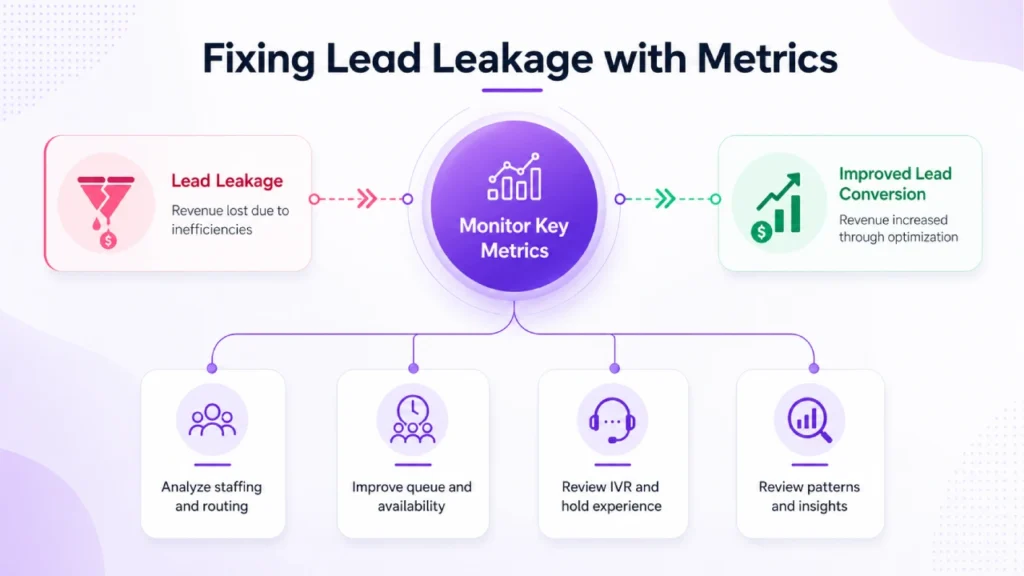
Call abandonment is another important signal. If callers hang up during the IVR menu, the greeting may be too long or the options may be unclear. If they abandon while waiting in queue, your hold experience or overflow routing may need improvement.
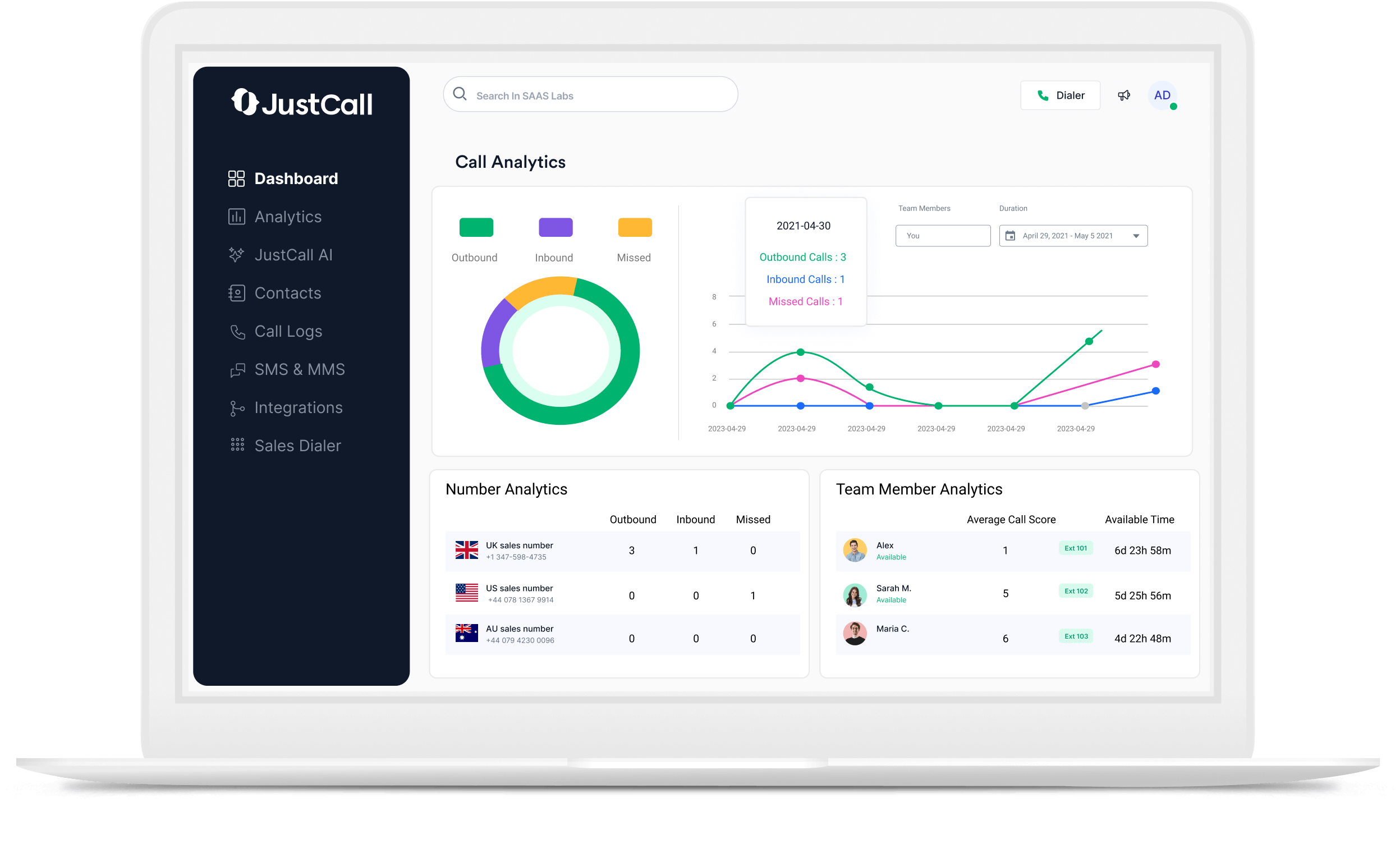
JustCall’s inbound call center software includes analytics as part of its inbound communication capabilities. Use those insights to review patterns by time of day, phone number, campaign, team member, and call outcome.
The most useful metrics include missed calls, answered calls, average time to answer, voicemail volume, abandoned calls, callback completion, call duration, booked appointments, demo requests, and lead-to-customer conversion.
The point is not to drown your team in reports. The point is to find the leaks that cost you revenue and fix them one by one.
Common JustCall Call Flow Mistakes to Avoid
The first mistake is creating an IVR menu that is too long. Callers should not need to listen to seven options before they find sales or support. Keep the menu short and action-oriented.
The second mistake is routing all calls to one person. That may work when call volume is low, but it breaks as soon as that person becomes unavailable. Every important call path needs a backup.
The third mistake is treating voicemail as the end of the journey. Voicemail should trigger action. A missed call should lead to a text, task, notification, or callback process.
The fourth mistake is ignoring after-hours callers. A lead that calls after hours may still be highly interested. A good after-hours flow sets expectations and captures the opportunity.
The fifth mistake is failing to connect call activity to the CRM. If calls are not logged and assigned, your team loses visibility. That makes follow-up inconsistent.
The sixth mistake is never reviewing performance. Your first call flow may be good, but real call data will show where it can be better.
Final Thoughts
A high-performing JustCall call flow is not just a technical setup. It is a revenue protection system. It helps your business answer faster, route smarter, recover missed calls, and keep every conversation connected to the sales or support process.
The best setup starts with the caller’s intent. It uses a simple IVR, smart routing, clear business hours, reliable fallback paths, missed-call recovery, CRM integration, and ongoing reporting. When those pieces work together, your team can stop relying on luck and start managing every inbound lead with consistency.
For a business using JustCall Consulting, the opportunity is clear: design a call flow that protects speed-to-lead, improves caller experience, and makes sure every serious prospect has a path to the right person.